
Give every ringgit a job.
Maney is a budgeting app for the money you actually have. Plan the month, log what you spend in seconds, and always know what is safe to spend.
Works on desktop, iPhone and Android with one account.
Try it right here
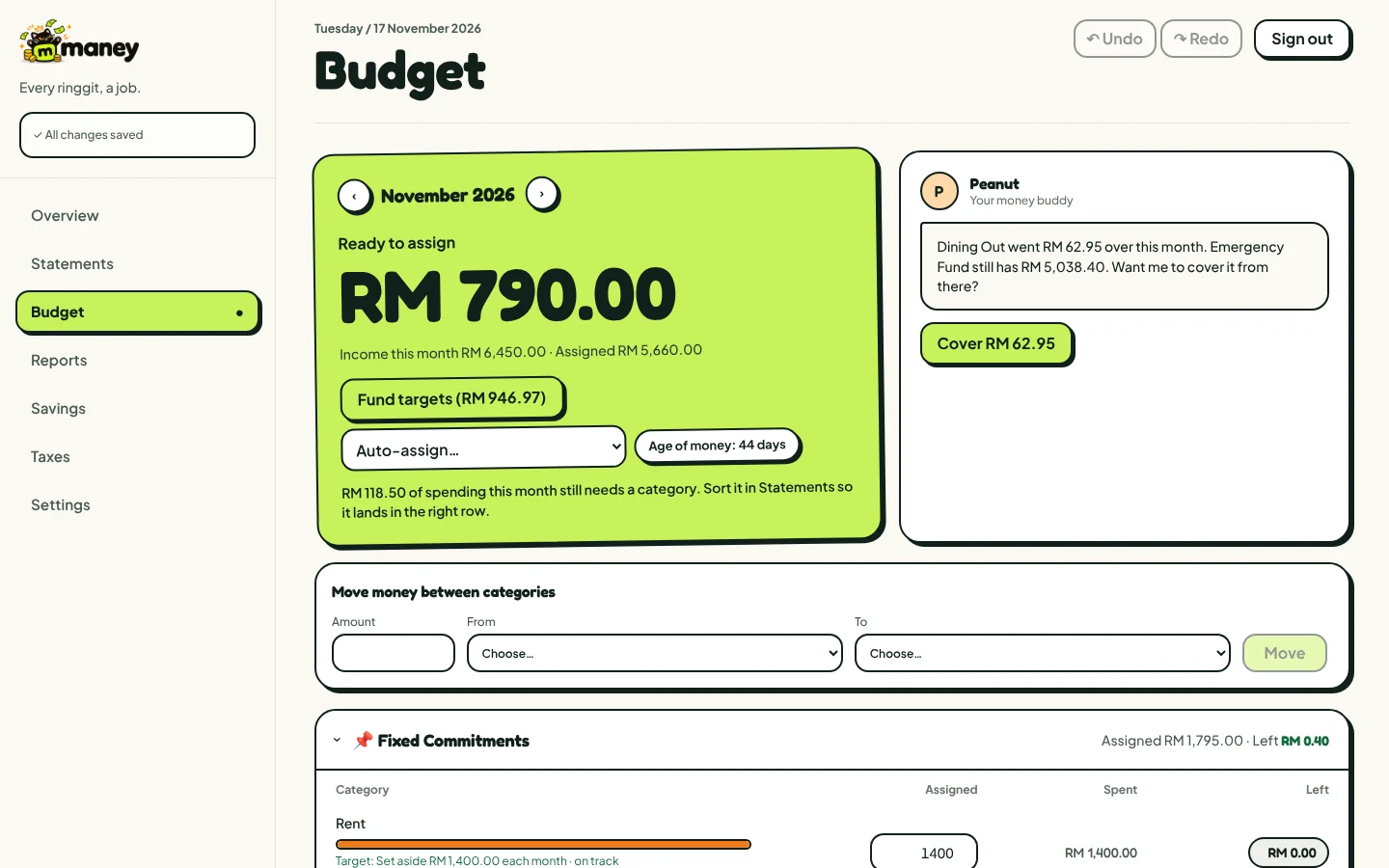
Here is a sample month. Tap + and − to move money around until Ready to assign hits zero and no bar is red.
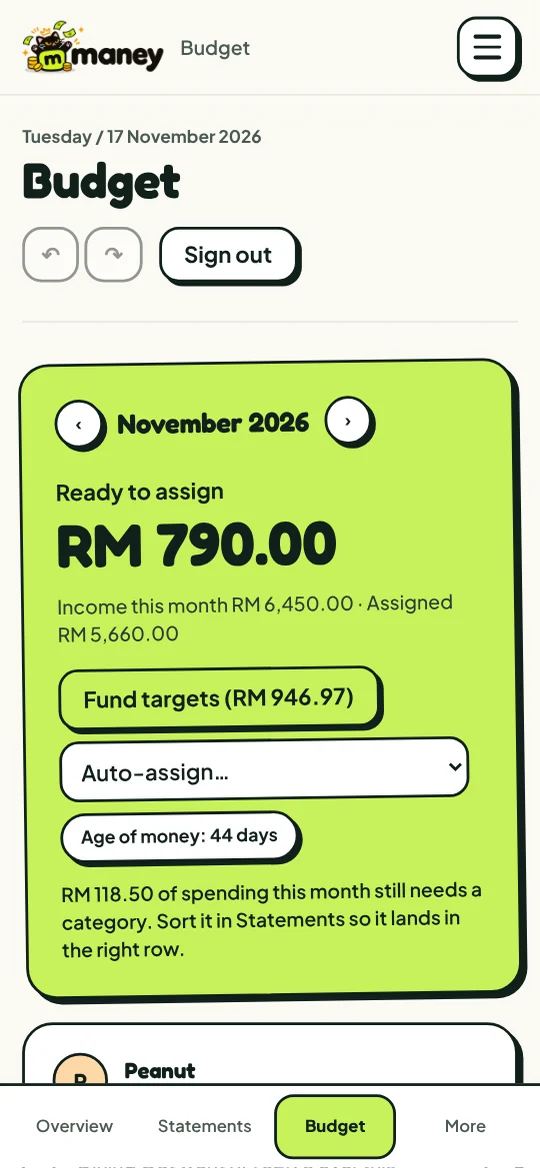
Ready to assign
RM 1,150.00
From a RM 3,000.00 salary
Groceries is RM 80.00 over. Give it a bit more with +.
- Rentspent RM 1,200.00RM 1,200.00RM 0.00
- Groceriesspent RM 380.00RM 300.00-RM 80.00
- Transportspent RM 160.00RM 150.00-RM 10.00
- Dining outspent RM 90.00RM 200.00RM 110.00
- Savingsspent RM 0.00RM 0.00RM 0.00
Sample numbers. Nothing here is saved.
How it works
- 1
Money comes in
Your salary or any income lands in Ready to assign.
- 2
Give it a job
Split it across rent, groceries, savings and the rest until nothing is left waiting.
- 3
Spend with a plan
Each category shows what is left. Overspend one and cover it from another in a tap.
Everything a budget needs
- RM 40.00→ next month
A budget that rolls over
Leftovers and overspending carry into next month. Set targets for bills and goals.
- Kopi · RM 4.50Enter
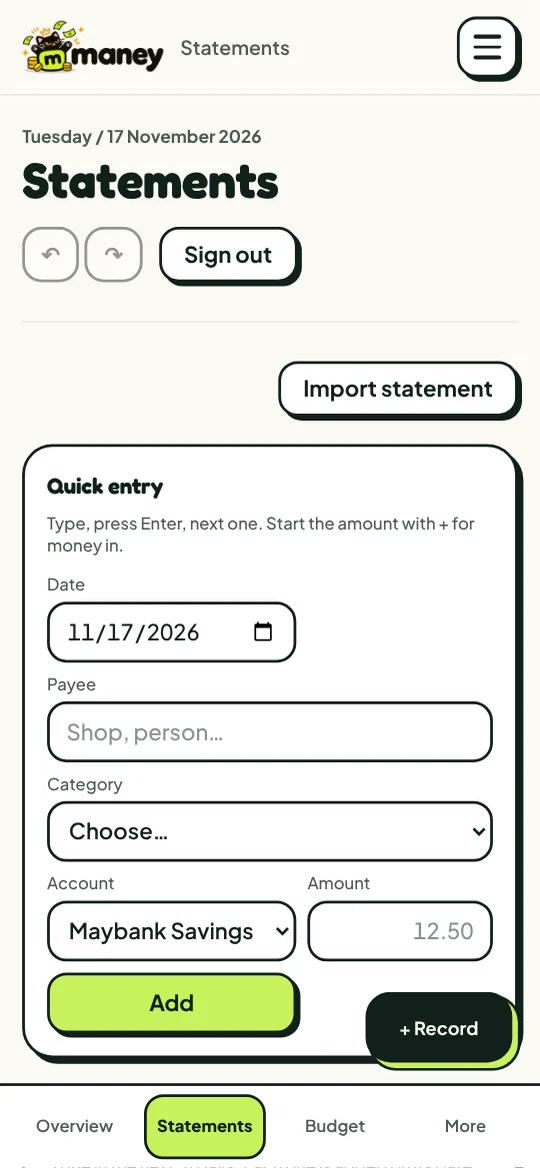
Quick entry
Type, press Enter, next one. Maney remembers each payee's category and account.
- CSVDatePayeeAmount
Bring your statements
Import a CSV file from your bank and match the columns once.
- BankRM 1,240.00ManeyRM 1,240.00
Cards and reconcile
Track credit cards properly and check your balances against the bank.
See the big picture
Net worth, reports and Age of Money, with PDF, CSV and Excel exports.
- Groceries · Household · Pets
Repeats and splits
Repeating bills fill in by themselves. Split one payment across categories.
Meet Peanut
Your money buddy inside Maney. Peanut keeps an eye on the month and speaks up when something needs a fix.
Transport went RM 48.20 over this month. Dining out still has RM 87.50. Want me to cover it from there?
Your money stays yours
Two-step login
Add an authenticator app for a second check.
Face ID or fingerprint
Lock Maney on your phone with your face or finger.
Encrypted on device
The copy on each device is locked with AES-256.
Leave any time
Export everything, or delete your account from Settings.
On your desk and in your pocket
One account, synced everywhere. Plan the month on a big screen, then log a coffee on the way out.
- Desktop: sign in from any browser.
- iPhone: open Maney in Safari, tap Share, then Add to Home Screen.
- Android: open Maney in Chrome, tap the menu, then Install app.
Questions people ask
Is Maney free?
Yes, it is free while Maney is in alpha.
Does Maney connect to my bank?
Not yet. You add payments yourself in a few seconds, or import a CSV file from your bank. Bank sync may come after the alpha.
Who can see my money?
Only you. Your budget is tied to your account and locked so other accounts cannot read it. The copy on each device is encrypted too.
Can I use it on my phone and my computer?
Yes. Sign in on both with the same account and everything stays in sync.
What if I want to leave?
Export your data to CSV, Excel or PDF, then delete your account from Settings. It is gone for good.
Start your first budget today.
It takes a few minutes, and it is free while Maney is in alpha.